macOS Quick Tip: Screenshot Straight to the Clipboard
https://ift.tt/AUTMRJX
There are several ways you can take screenshots on a Mac. Preview offers the option from its File menu. There’s also a little screen capture app in the macOS Utilities folder called Screenshot. But the simplest and most common method is to use your Mac’s built-in shortcut key combinations.
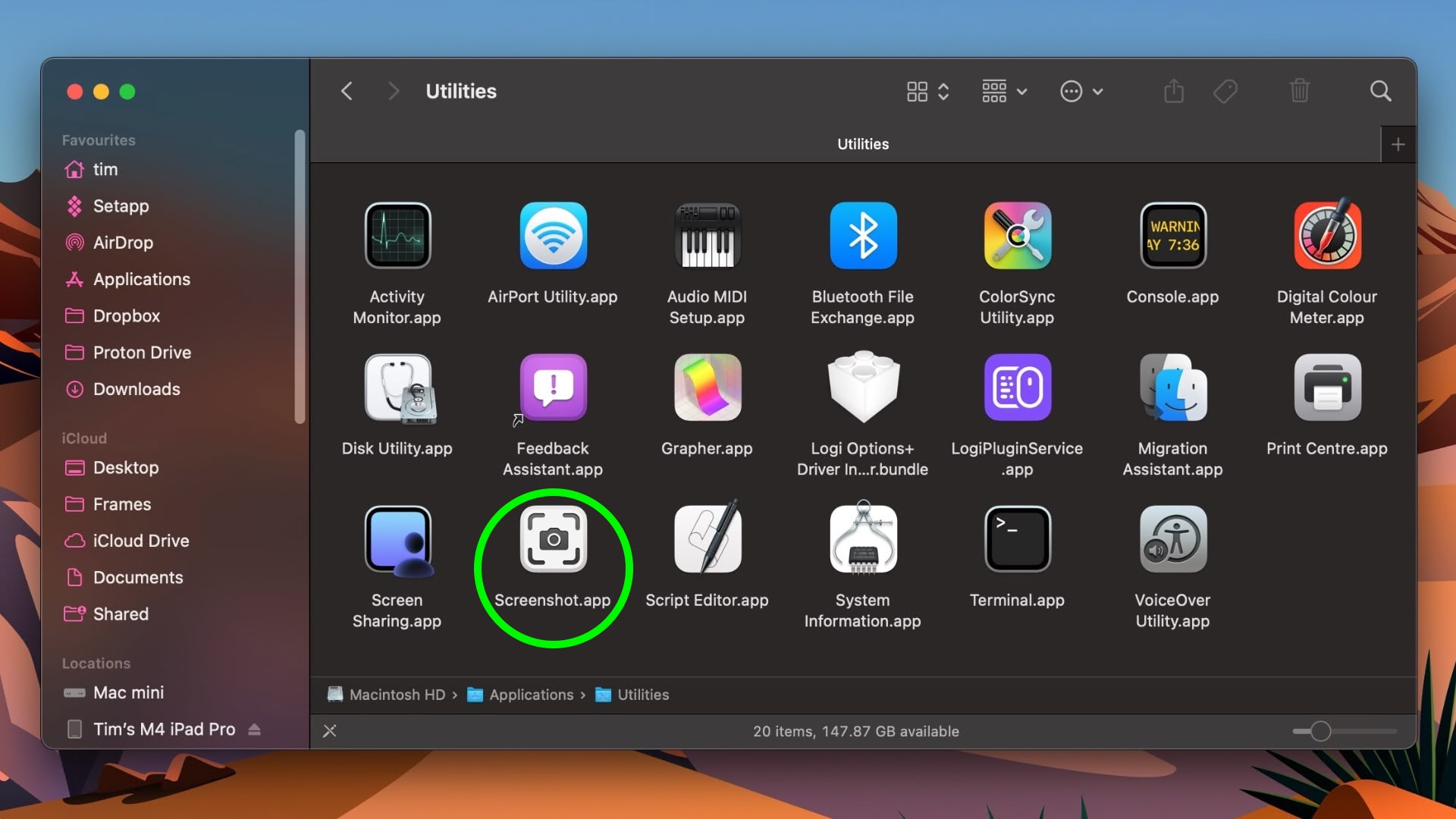
Taking a screenshot is as easy as hitting Shift-Command-3 to capture the whole screen, or Shift-Command-4 to capture a portion of the screen using the mouse cursor as a crosshair selection tool (a tap of the spacebar also turns it into a camera for capturing windows).
Screenshots taken using key shortcuts are typically saved on your desktop. However, if you tack the Control key onto either of these shortcuts, macOS will copy the captured image to the clipboard instead of saving it as a file on your desktop, which is useful if you want to paste it into an application that can edit or view images, or use Universal Clipboard to paste it on another Apple device.
In Preview, for example, Command-N creates a new document from the contents of the clipboard without you having to specify a filename until you’re ready to save it. You can also access this function in Preview’s menu bar (File ➝ New From Clipboard).
This article, "macOS Quick Tip: Screenshot Straight to the Clipboard" first appeared on MacRumors.com
Discuss this article in our forums
Apple
via MacRumors: Mac News and Rumors – All Stories https://ift.tt/fcZx4lr
June 2, 2025 at 12:02PM
Articles récents
- Got a new Mac? Here are five apps I can’t live without
- Guide iOS 26.2 : comment l’installer, sur quels iPhone et quelles sont les améliorations ?
- iPadOS 26.2 delivers major Split View improvement — here’s how to use it
- CarPlay is getting even better with these new iOS 26.2 features
- Antigravity A1 : le drone 8K 360 degrés est enfin disponible !
Warning: Undefined array key "no_embeds" in /opt/homebrew/var/www/wp-content/plugins/social-integration-for-bluesky/classes/BlueSky_Render_Front.php on line 133
BlueSky Latest Posts
-
Get to this post
Sylvain Chalifoux @chalifoux.bsky.social 1 jour
Got a new Mac? Here are five apps I can’t live without
http://w3.xshaps.com/index.php/2025/12/25/got-a-new-mac-here-are-five-apps-i-cant-live-without/ -
Get to this post
Sylvain Chalifoux @chalifoux.bsky.social 2 semaines
Guide iOS 26.2 : comment l’installer, sur quels iPhone et quelles sont les améliorations ?
http://w3.xshaps.com/index.php/2025/12/14/guide-ios-26-2-comment-linstaller-sur-quels-iphone-et-quelles-sont-les-ameliorations/ -
Get to this post
Sylvain Chalifoux @chalifoux.bsky.social 2 semaines
iPadOS 26.2 delivers major Split View improvement — here’s how to use it
http://w3.xshaps.com/index.php/2025/12/09/ipados-26-2-delivers-major-split-view-improvement-heres-how-to-use-it/ -
Get to this post
Sylvain Chalifoux @chalifoux.bsky.social 2 semaines
CarPlay is getting even better with these new iOS 26.2 features
http://w3.xshaps.com/index.php/2025/12/09/carplay-is-getting-even-better-with-these-new-ios-26-2-features/ -
Get to this post
Sylvain Chalifoux @chalifoux.bsky.social 3 semaines
Antigravity A1 : le drone 8K 360 degrés est enfin disponible !
http://w3.xshaps.com/index.php/2025/12/05/antigravity-a1-le-drone-8k-360-degres-est-enfin-disponible/